SNS application for neighborhood
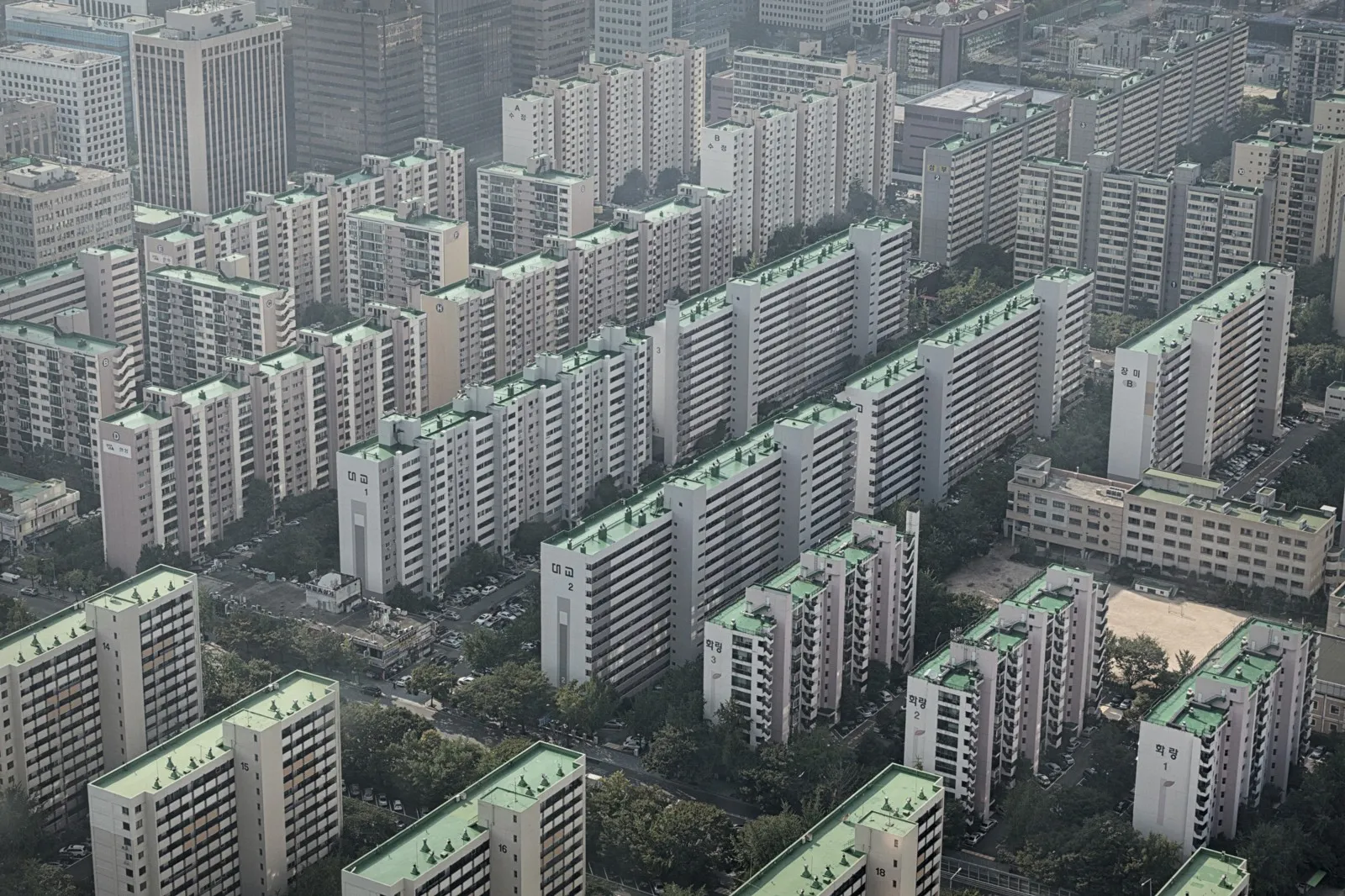
A social network for apartment residents in South Korea, built to address one of the country's biggest social problems: the lack of communication between neighbors.
Background & Problems
- In South Korea, 48% of the population lives in apartment complexes of various sizes.
- The traditional sense of connection between neighbors has weakened sharply.
- The resulting lack of communication creates conflict and, in some cases, even criminal incidents.
We wanted to address problems #2 and #3 by giving neighbors a platform to communicate with each other - a Korean equivalent of "Nextdoor."
Ideation
To create an active platform within a specific apartment complex, we researched what would make residents actually use the app and what they really needed.
- Hyperlocal marketplace - because transactions happen offline among neighbors, the social pressure of meeting face-to-face lowers the chance of fraud.
- A neighborhood-only feed - we deliberately limit reach so only people in the same apartment complex can post and read.
- O2O services - polls, events, and small markets, all scoped to a single complex, so neighbors can solve shared problems together.
Audience
Our main target was clear: women in their 30s and 40s living in apartment complexes. We wanted them to share knowledge, events, talks, and concerts through the app, and to buy and sell items at low prices among neighbors.
We believed that these interactions would keep the platform active and rebuild connections between neighbors in Korean apartment complexes.
Design Solutions
- Familiar and intuitive
- Easy to use
- Clean and trustworthy
Rapid Prototyping
Based on the research, I built lo-fi prototypes in Adobe XD before moving into detailed design and development. We ran internal user tests to validate the hypotheses above.

App overview
The app is a social network, and the timeline lets users skim their neighbors' posts. The timeline needs to feel clean and simple - like other SNS apps - to support effective communication.

The image above is the main timeline view. From top to bottom: top tab bar, notification bar (optional), feed item card, and bottom navigation bar.
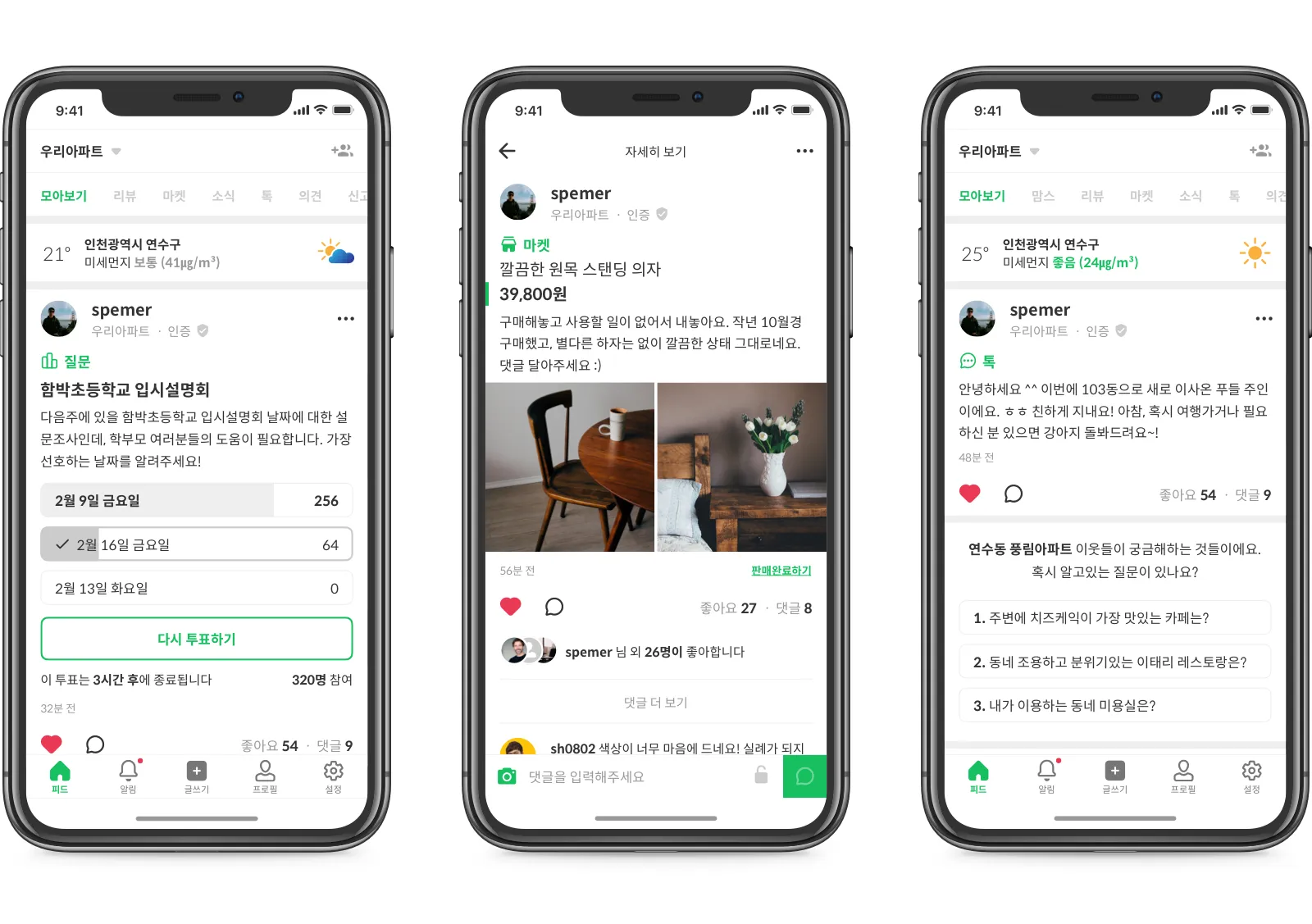
The feed item card is the most important component. Every post - text, image, poll, marketplace listing - is rendered through this card.
Feed & Feed Item Cards
The card has several variants based on use case:
- Text
- Image
- Marketplace & group buy
- Link share
- Poll & petition
- Welcome cards & CTA

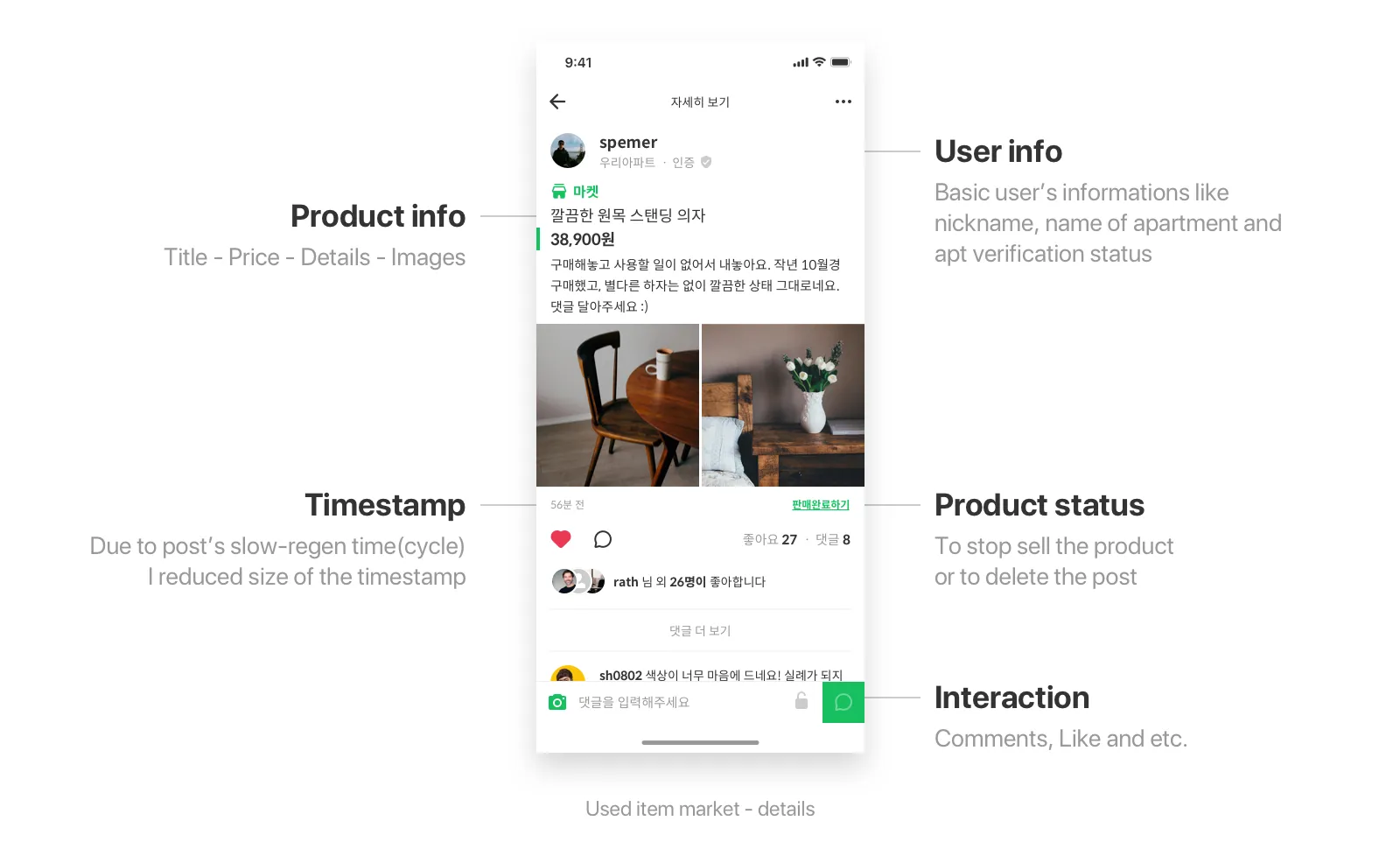

I designed these cards for unity across the app. Each variant has the same structure top to bottom - user info, content, and actions like "like" and "comment."
Sign Up
We need the user's detailed residence info to verify they actually live in the complex and to ensure the community stays trustworthy. Sign-up flows are always tedious, so I designed it to be as simple as possible.

There are six steps in total:
- Email address
- Create password
- Select city of residence
- Detailed address
- Create nickname
- Profile info (gender, marital status)
If anything goes wrong during these steps, users get frustrated. The designer's job is to provide the right path forward when errors happen.
We try to capture location automatically (with the user's permission) to speed things up. But what if the connection is bad or the user denies location access?
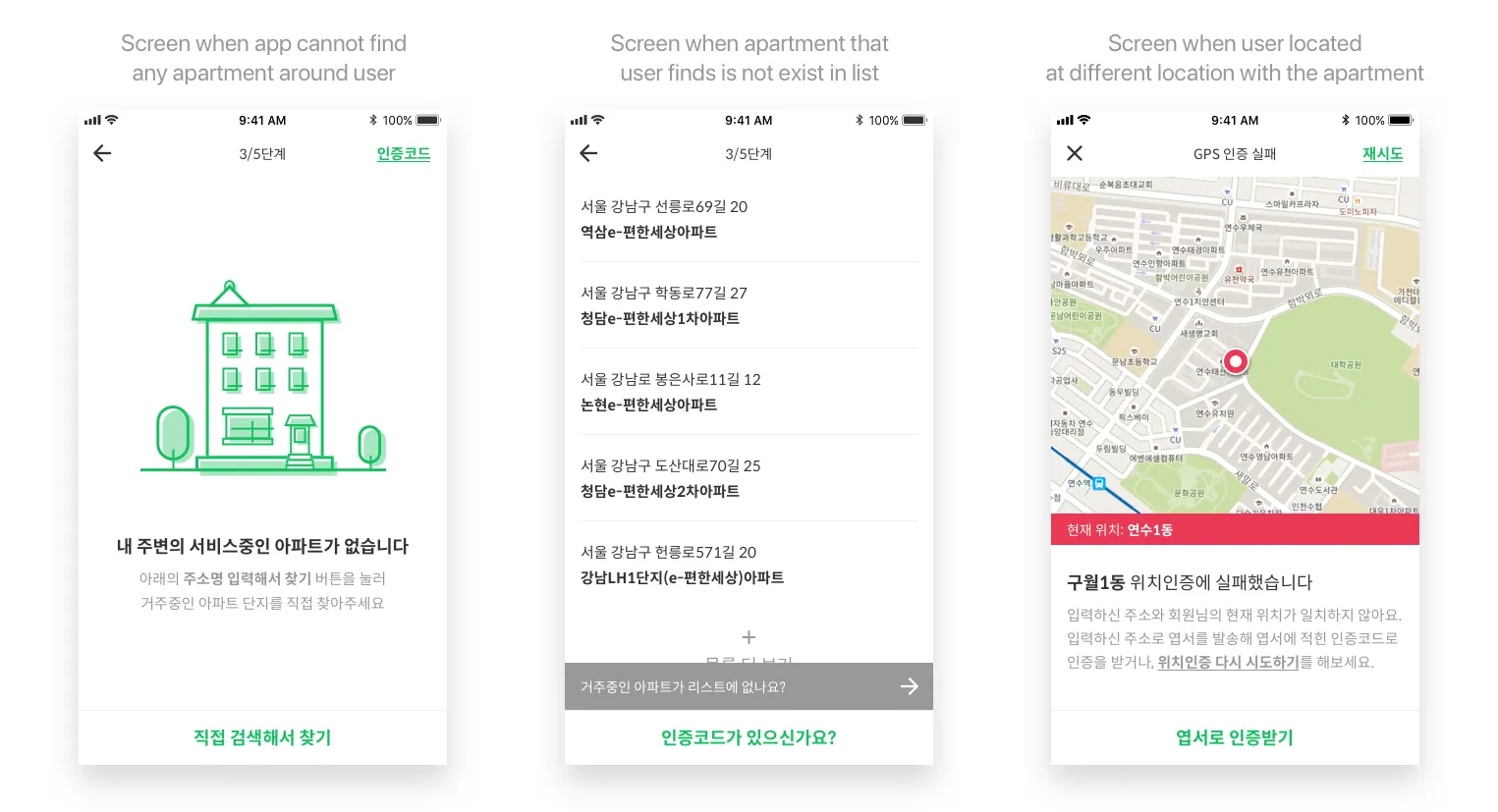
A blunt error message doesn't help. I designed a friendly illustration with an alternative path - if GPS isn't available, users can input their address manually.
Write Post
People post for many reasons: selling used items, sharing useful info, or just chatting with neighbors. We provide categories like Information, Giveaway, For sale, Must-know, and Tips.

After tapping the plus button on the bottom navigation, an action sheet appears so the user can pick a category. They then write the post and tap Post. The card's shape and type are automatically determined by category and content (e.g., link preview, image grid). Users can also choose which group to post to.
Action Sheets
I designed several action sheet patterns to reduce navigation depth, so the user doesn't have to leave their current screen.

For example, action sheets are used for "Select category," "Delete profile image," and "Group filter."
Play with the prototype
Clickable prototype on MarvelApp
Takeaways
I hope this app helps to reduce problems in our society - especially the lack of communication that fuels conflict in Korean apartment complexes - and prevents the worst outcomes.
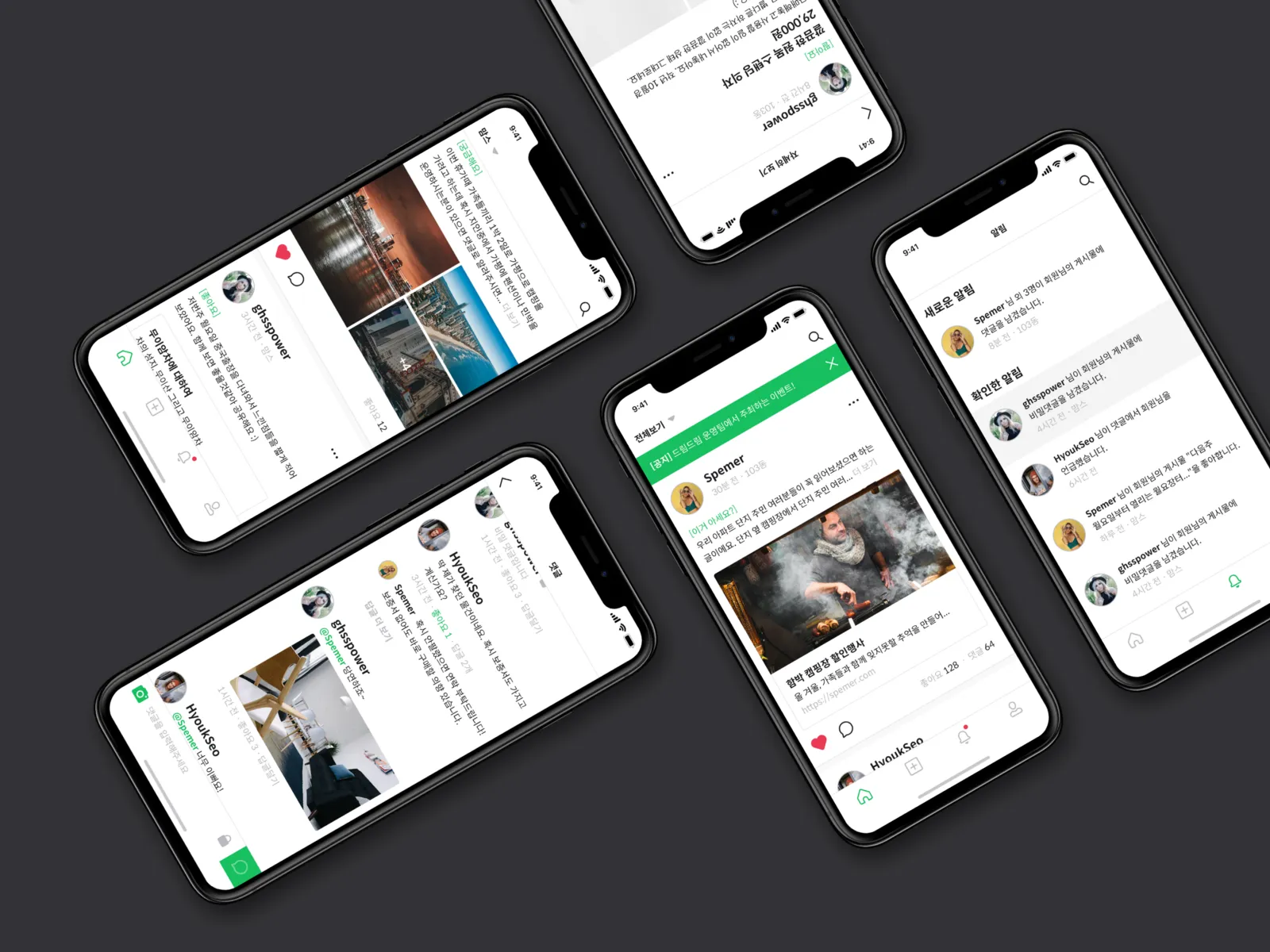

Title : SNS application for neighborhood
Date : October 27, 2017
Tools : Sketch App, Adobe Experience Design CC 2017, Studio XID ProtoPie