UnivCam - Case Study & Design Process

Main Concept
Our team (developers and I-the designer) started this project in June 2017. The goal was to design an application that lets college students sort and classify the photos they take in class in a clean, intuitive way. Many students take photos during lectures to study from later or for convenience.

Ideation
The problem with existing gallery apps is simple: they support albums, but their primary purpose is not "study." We wanted users to focus only on study-related photos, separate from daily snapshots and meme images on their device. UnivCam distinguishes and organizes them.

Problems - from users
- In a lecture, slides change quickly, making it hard to take notes or capture them.
- Photos taken in class are easily mixed up with other daily images in the device gallery, especially because thumbnails are small.
- It is tedious to reorganize or sort lecture photos out of a mixed gallery.

Design Challenge
Without a clear differentiator, UnivCam would be just another gallery app, with no reason to switch from the built-in one.
How we solved it
- Provide a home-screen widget for quick access to UnivCam's camera. Photos taken with UnivCam are automatically saved into UnivCam's album, not the device gallery.
- Design a user experience optimized for organizing and sorting albums and images.
- Use a restrained color palette and minimal graphic decoration so lecture photos stand out.
- Together, these encourage users to save lecture photos directly into UnivCam rather than the device gallery.

Start Off
Our target audience was clear: college students who want to organize study-related photos cleanly and intuitively. I built personas of potential UnivCam users based on online research and conversations with friends who routinely take lecture photos.

Job Stories
I wrote job stories to frame UnivCam as a better tool for capturing lecture content.
- When I'm in a classroom, I want to photograph the lecture content, so I can review it later anywhere on my phone.
- When my professor's slides change quickly, I want to capture them with my camera, so I can review them later.
- When I take photos in class, I want to classify them as I want, so I can study without being interrupted by other photos like screenshots and snapshots.
User Flows
I built a user flow before getting started to validate the plan and produce a strong wireframe. The most important feature is to separate device-gallery photos from UnivCam images so users can focus on study photos and have a great learning experience on mobile. Sorting and classification are baseline; UnivCam adds quick capture and direct save into its own album to remove the friction of moving photos between apps.

Lo-Fi Sketches
I sketched rough wireframes on paper before starting Lo-fi graphic wireframes. I followed one of the most popular UI trends: Complexion Reduction-bold typography, minimal color, generous whitespace. This fits UnivCam because removing decoration lets users focus on the main content-photos and albums.

Wireframing
Based on the sketches, I built quick lo-fi wireframes. The goal of this step is user testing, so I kept details minimal. I used MarvelApp to share clickable prototypes online and collected feedback through Google Forms.

Pain Points
Based on collected feedback, I redesigned several screens. Here are some critical pain points and how I addressed them. (Click image to enlarge.)
Pain point 1: The "Album selection" screen had unclear labels, confusing users about which album to choose.

Pain point 2: Users didn't know how to add a folder. First-time users typically took more than 10 seconds to find the "Add album" button.

Pain point 3: On the "Favorite Album" screen, tapping the favorite button looked like it removed the album from the app. The "Add album" button on the same screen was also ambiguous-does it create a favorite, or just a new album on the main screen?

Validation
With the revised designs, I ran another round of testing with the same users. The table below shows the results: a mission counted as succeeded if the user completed it without struggle.


Sharing details and to-dos
I used Trello to share design tasks and details with developers. After designing each screen, I posted it to the design board with notes for the developers. I used two boards: one for design specs and one for to-dos, where developers moved cards as they progressed.

Hi-Fi Prototype Design
With the sketches and wireframes in place, I built Hi-fi prototypes in Adobe Photoshop. I used Zeplin and integrated it with UnivCam's Slack channel for collaboration. Working status was tracked on Trello and Slack. (Click image to enlarge.)

User Testing with Prototypes
Pain point 4: I ran several more tests with the prototypes above. The biggest issue was the tab bar on the album-detail screen-users couldn't tell which album a newly captured photo would be saved into. I removed the tab bar from this screen and added a camera button in the top navigation bar.

Clickable Mockups - Adobe XD
Based on the Hi-fi prototypes, I built clickable mockups in Adobe XD for the next round of testing and for developer handoff. I appreciate the visible user flow lines XD draws between screens. I created more detailed mockups in MarvelApp for the next step.

Completed UI Design
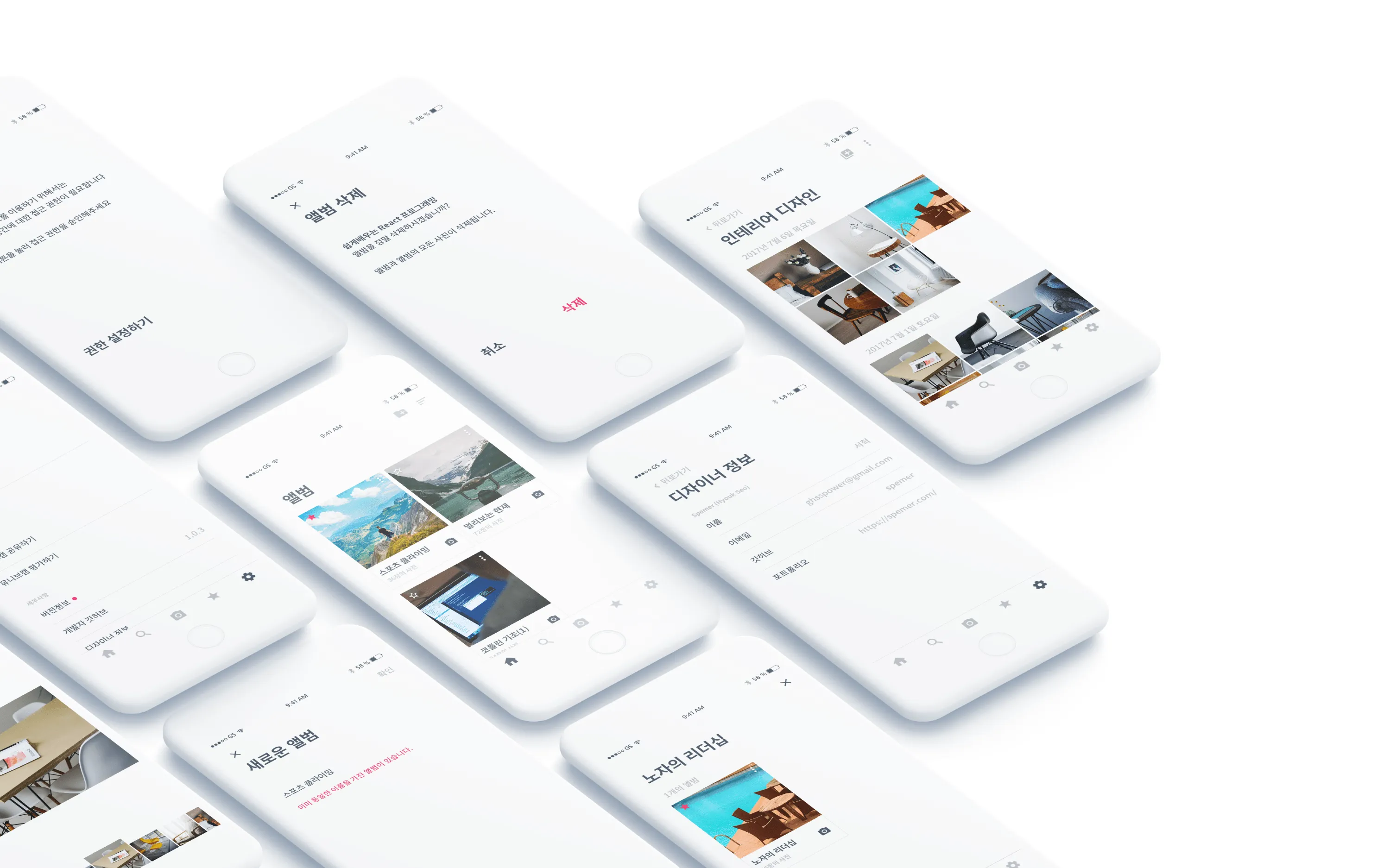
You can see more details about UnivCam's design on my Behance.

Play with the prototype
Clickable prototype on MarvelApp
UnivCam
I designed this application together with developers in my college's app club over the summer break. I hope it helps many students.
Source files on GitHub (iOS) Source files on GitHub (Android)
Title : UnivCam - Case Study & Design Process
Date : August 11, 2017 (12 Weeks)
Tools : Adobe XD, Adobe Photoshop, Adobe Illustrator, MarvelApp, Trello, Zeplin